Getting Started
Welcome to FCT CRM. The left sidebar is your menu. Every feature has its own page, and every guide here uses a green ring to show exactly where to click.
A good first run: go to Instances and scan the QR code to connect a WhatsApp account, then reply to customers in the Customer Service Workbench. Use Broadcast to message a contact list, use Auto Reply and AI Reply to answer automatically, use Workflows for multi-step follow-ups, and use Voices to send voice notes. Set up your providers once under Engines.
The Dashboard gives you an at-a-glance overview of accounts, messages and activity.
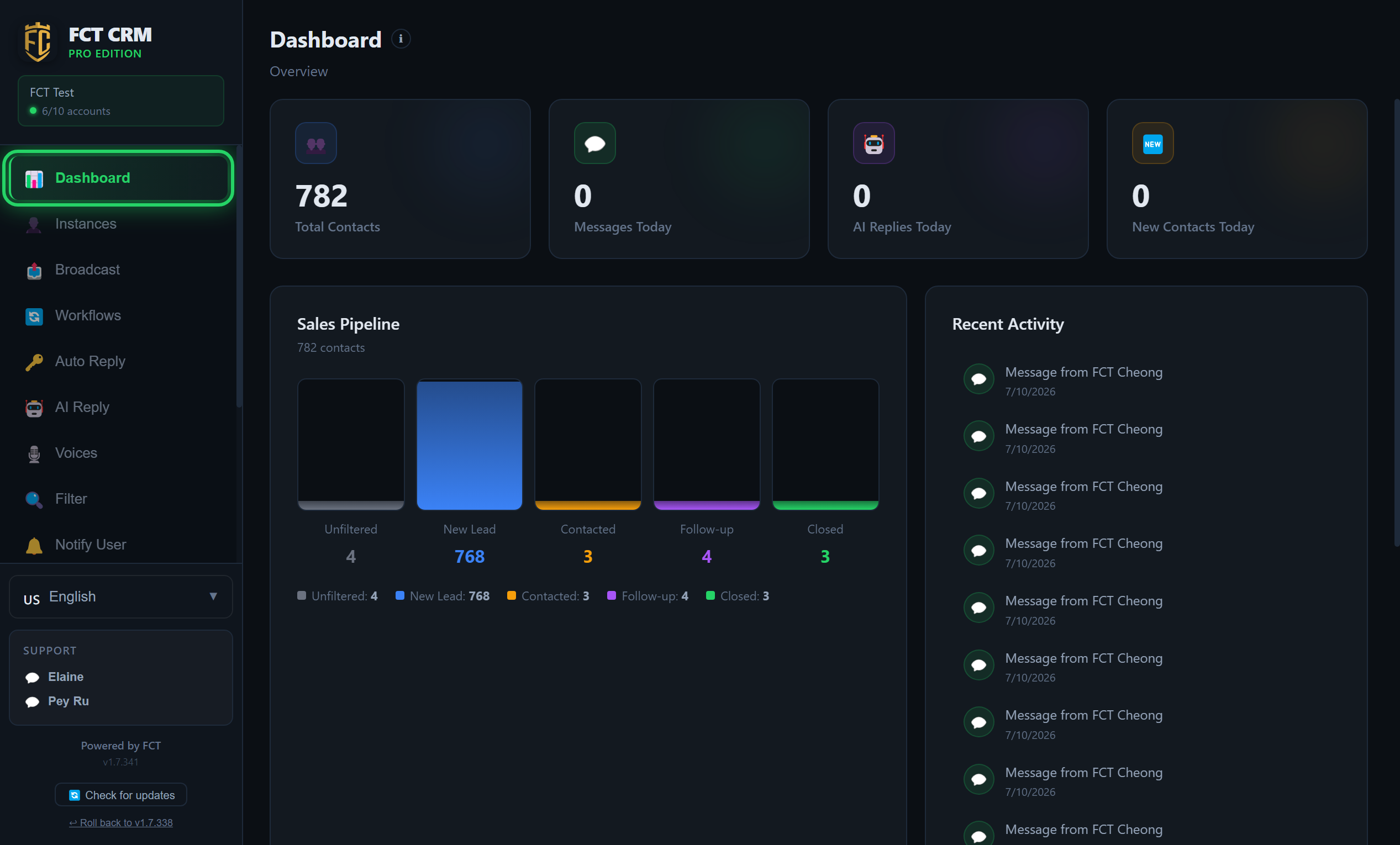
- Open FCT CRM and click Dashboard at the top of the left sidebar.
- Look at the four cards at the top first: Total Contacts, Messages Today, AI Replies Today and New Contacts Today. This is where you see whether any customers came in today.
- In the middle, the Sales Pipeline sorts your contacts into five boxes: Unfiltered, New Lead, Contacted, Follow-up and Closed. The number under each box is how many people are at that stage.
- On the right, Recent Activity lists what happened lately in time order, such as whose message arrived and which broadcast went out.
- Scroll further down and Accounts lists every one of your WhatsApp accounts.
- If this is your first time and the page is still empty, click Instances in the sidebar and connect a WhatsApp account first.
The Dashboard is only for looking
You cannot reply to customers or change settings on this page. To reply to customers, go to the Customer Service Workbench inside Instances. To change the interface language, use the language selector near the bottom of the sidebar.