Keyword Auto-Reply
Automatically send a fixed reply when an incoming message contains a certain keyword. There are three steps: write the replies, bundle them into a project, and finally assign the project to an account so that it takes effect. Green rings show where to click.
1. Reply Sets: write your keyword and reply pairs. Click New Set, give it a name, then add keywords and the reply to send. You can also click Sample replies to use ready-made business templates.
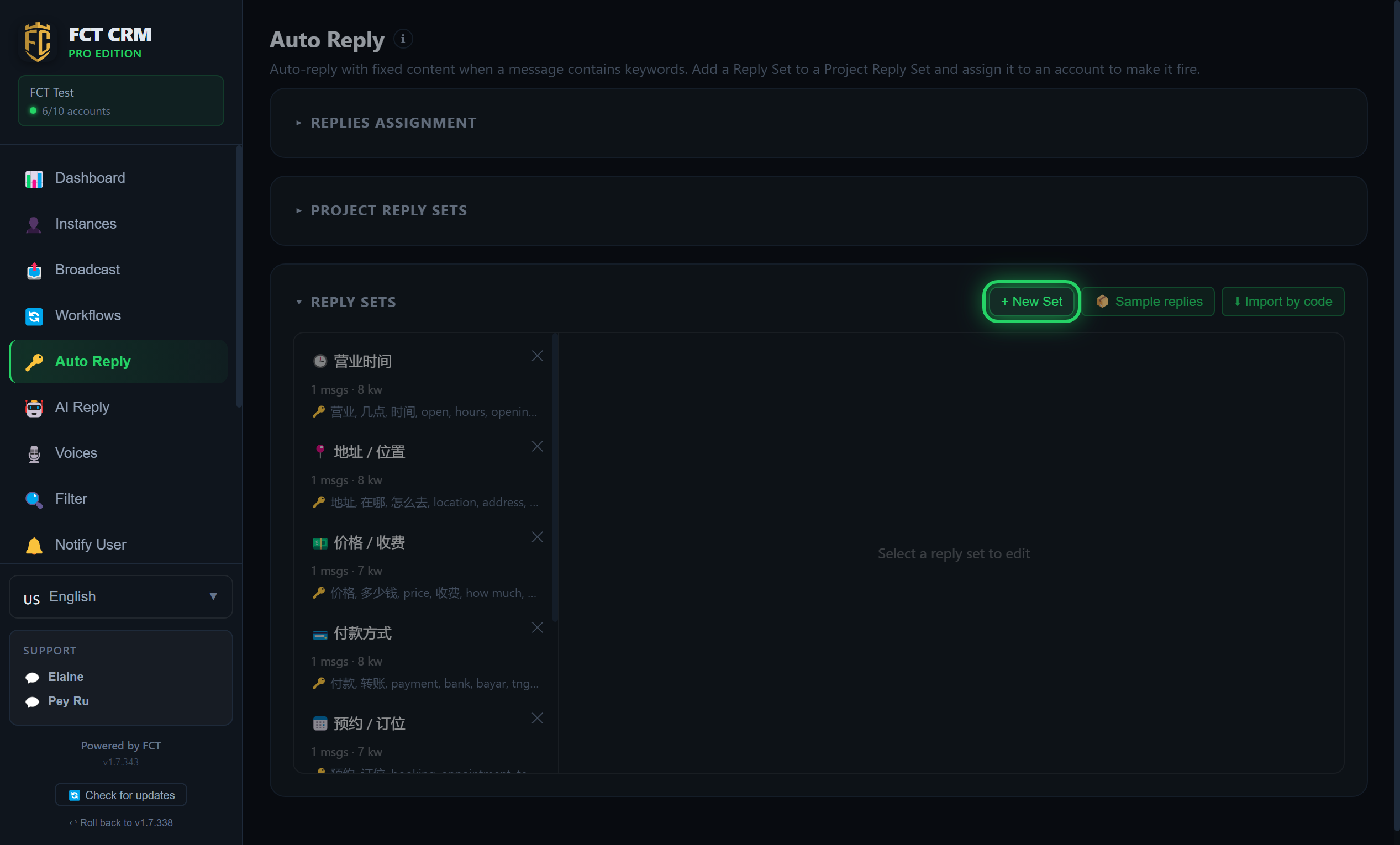
- Click Auto Reply in the left menu, then click the Reply Sets bar to expand it.
- Click New Set at the top right. An editing area appears on the right. First give this reply set a name in the name field at the very top.
- In the input box under Standalone Keywords, type a keyword and press Enter, and it is added. You can add several. The three buttons above decide what counts as a match: Contains keyword, Word boundary or Exact match.
- Under Messages, write the reply the customer will receive. To send several messages in a row, click Add Message and write another one.
- Click Save. The reply set appears in the list on the left, with the number of messages and keywords shown under it.
Do not want to write from scratch?
Click Sample replies to load common business replies in one click, such as opening hours, address and prices. Change them to your own details and they are ready to use.
2. Project Reply Sets: bundle one or more reply sets into a project. Click New Project and choose which reply sets belong to it.
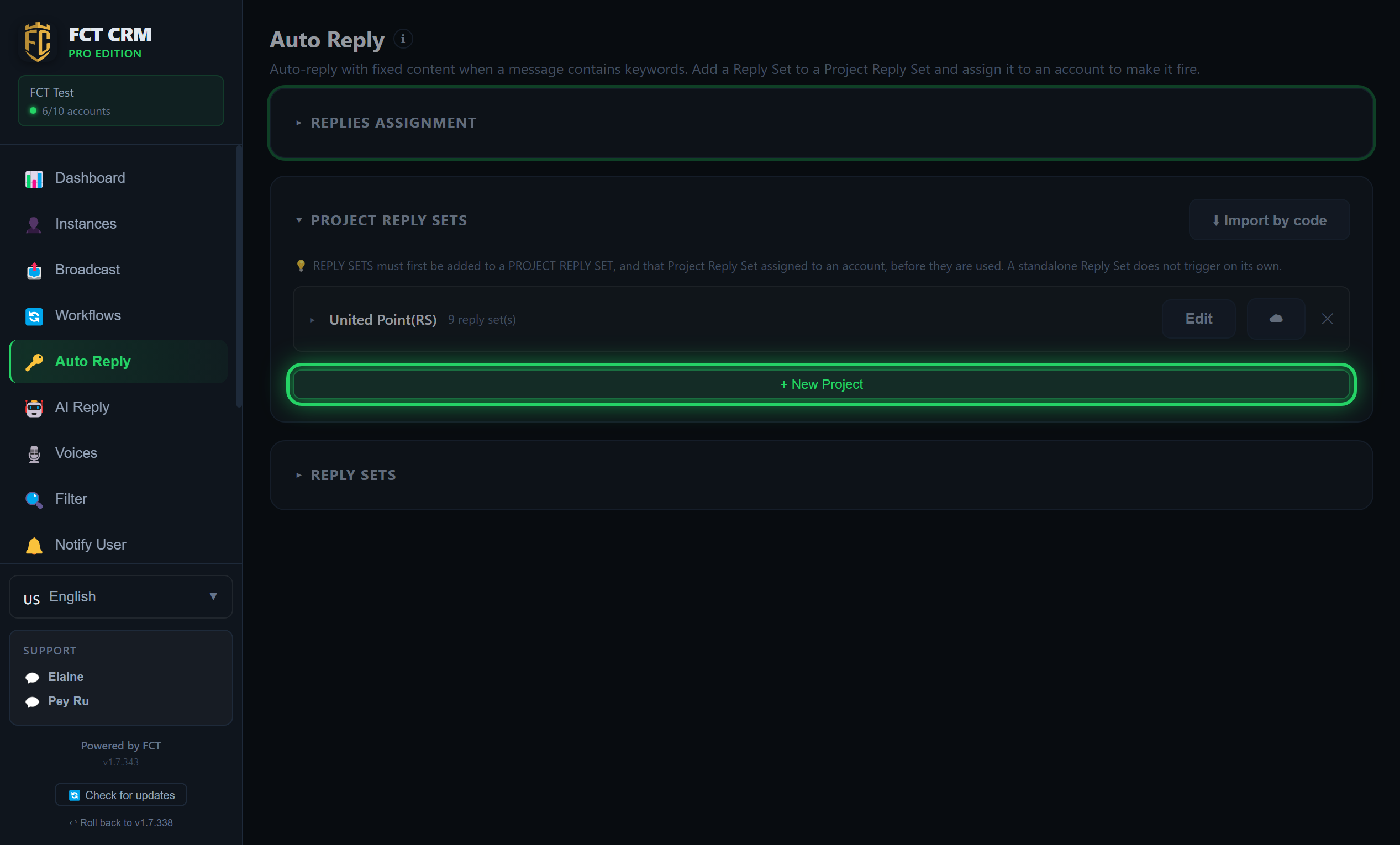
- Click the Project Reply Sets bar to expand it, then click the green New Project button.
- Type the project's name in the name field.
- Under Reply sets in this project:, tick the reply sets you want to put into this project.
- Click Save. The project appears in the list, and the number of reply sets it contains is shown next to its name.
- To add or remove reply sets later, click Edit on the right of the project.
A reply set must be put into a project
A reply set on its own is never triggered automatically. It has to be added to a project reply set first, and that project then has to be assigned to an account, before it is used.
3. Replies Assignment: choose this project for the account under Edit Account in Instances. Only assigned accounts auto-reply. The rest stay off.
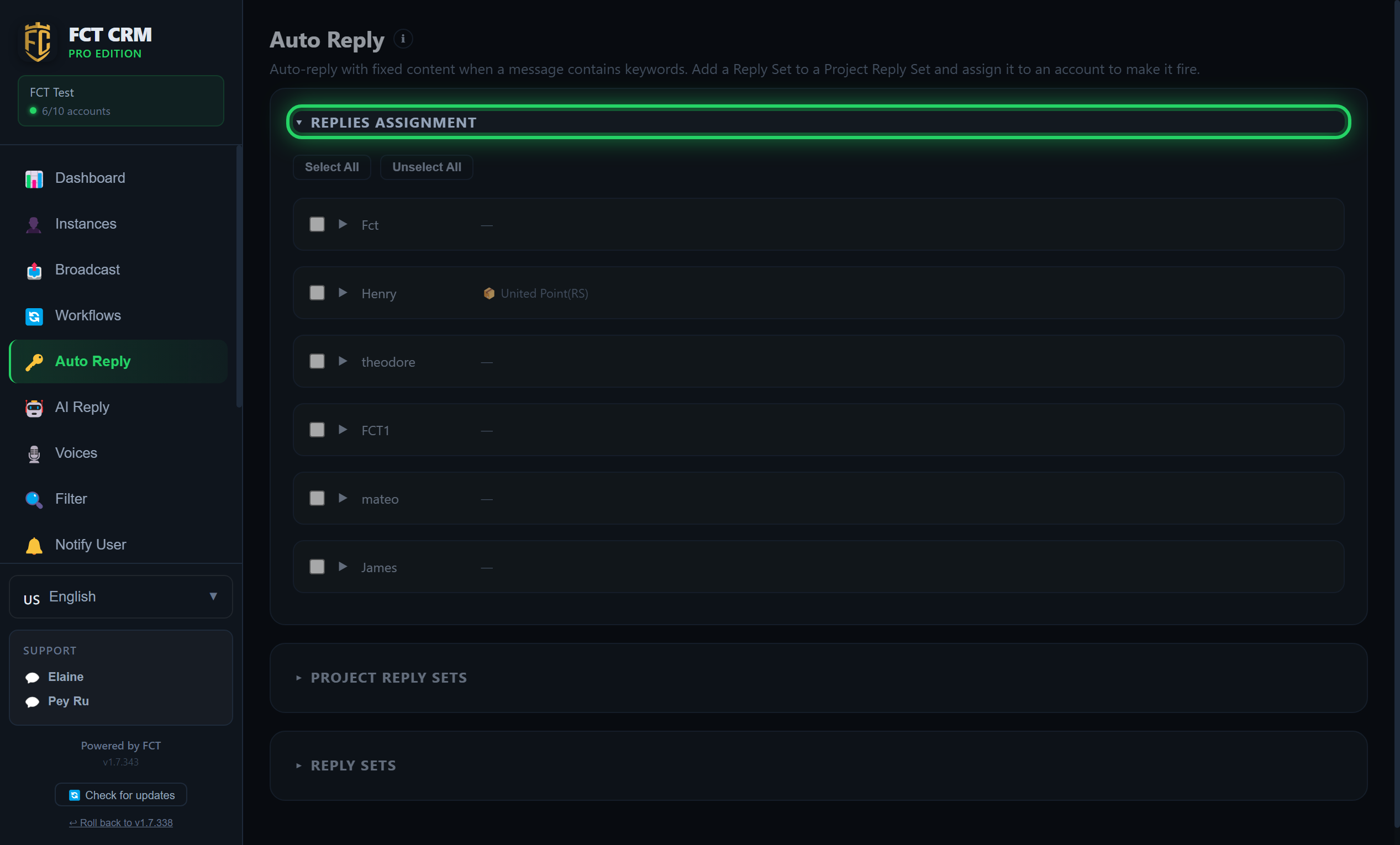
- Click Instances in the left menu and open the Edit Account window of the account that should auto-reply.
- Find the Reply method row inside Reply routing and tick Keyword auto-reply.
- Once it is ticked, a Reply Set (Project) dropdown appears below it. Choose the project you just created.
- Click Save. From this moment, the account replies automatically when it receives a message containing a keyword.
- To use it on other accounts, repeat these steps for each account. An account with no project chosen does not auto-reply.
Ticked, but no project chosen
If you only tick Keyword auto-reply and do not choose a project, the window warns you: "No reply set chosen — Auto Reply will not fire on this number." Remember to choose the project.